How much of vibe-kanban did AI write?
12%
 LinkedIn
Who signed the commits
- Claude234 commits · 11.6%
- Amp5 commits · 0.2%
- GitHub Copilot3 commits · 0.1%
- Cursor1 commit · 0%
vibe-kanban2,022 commits
- People1,779 commits
Commits per month
Each month's commits up to its last one, with those an AI signed. Merges don't count.
- Signed by AI
- People
The figures, month by month
| Month | Commits | Signed by AI | Share |
|---|---|---|---|
| Nov 2026 | 1 | 0 | 0% |
| Oct 2026 | 3 | 2 | 66.7% |
| Sep 2026 | 10 | 5 | 50% |
| Aug 2026 | 0 | 0 | — |
| Jul 2026 | 0 | 0 | — |
| Jun 2026 | 0 | 0 | — |
| May 2026 | 0 | 0 | — |
| Apr 2026 | 25 | 9 | 36% |
| Mar 2026 | 177 | 48 | 27.1% |
| Feb 2026 | 331 | 100 | 30.2% |
| Jan 2026 | 298 | 69 | 23.2% |
| Dec 2025 | 125 | 2 | 1.6% |
| Nov 2025 | 104 | 4 | 3.8% |
| Oct 2025 | 143 | 0 | 0% |
| Sep 2025 | 231 | 1 | 0.4% |
| Aug 2025 | 113 | 3 | 2.7% |
| Jul 2025 | 200 | 0 | 0% |
| Jun 2025 | 261 | 0 | 0% |
The last commits an AI signed
- a019cebbugfix: copilot sessions namespace (#3485)Claude· Oct 26, 2026
- 041317efeat: add local CI script to run GitHub workflow checks without Actions (Vibe Kanban) (#3484)Claude· Oct 26, 2026
- 824b37cfix: an Enter that confirms an IME candidate is not an Enter (#3459)Claude· Sep 18, 2026
- a4274e4fix: route server startup through startup::initialize_deployment (#3449)Claude· Sep 17, 2026
- b36a567docs: add SECURITY.md (#3448)Claude· Sep 17, 2026
- 3b2e286fix: correct swapped stderr/stdout labels in git CLI error output (#3447)Claude· Sep 17, 2026
- e5327c6Coalesce replayed stderr chunks so stored sessions load in linear time (#3456)Claude· Sep 17, 2026
How we know
Every AI coding tool leaves its signature in the commits it makes: a Co-Authored-By line, its own author name, or the merge of its branch. SeeRepo reads those signatures in the repo's history; a commit without one counts as made by people, and merges don't count.
Every AI tool SeeRepo recognizes →Frequently asked questions
Which AI tool signed the most commits in vibe-kanban?
Claude, with 234 of the 2,022 commits of vibe-kanban.
The proof: its last signed commit, a019ceb
Since when does AI sign commits in vibe-kanban?
Since August 2025: the first month an AI tool signed a commit of vibe-kanban.
How many commits does vibe-kanban have?
vibe-kanban has 2,022 commits since June 14, 2025. Merges don’t count.
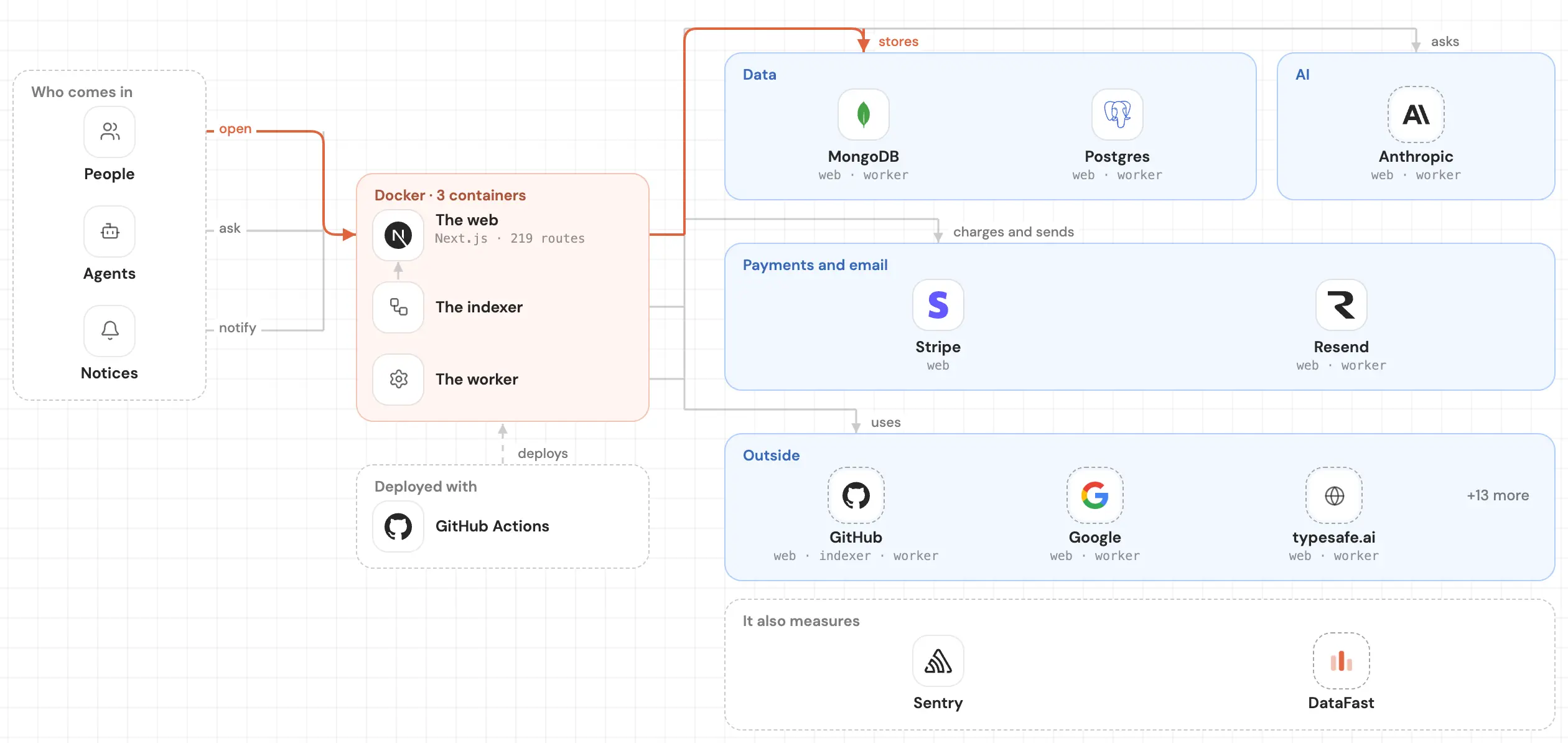
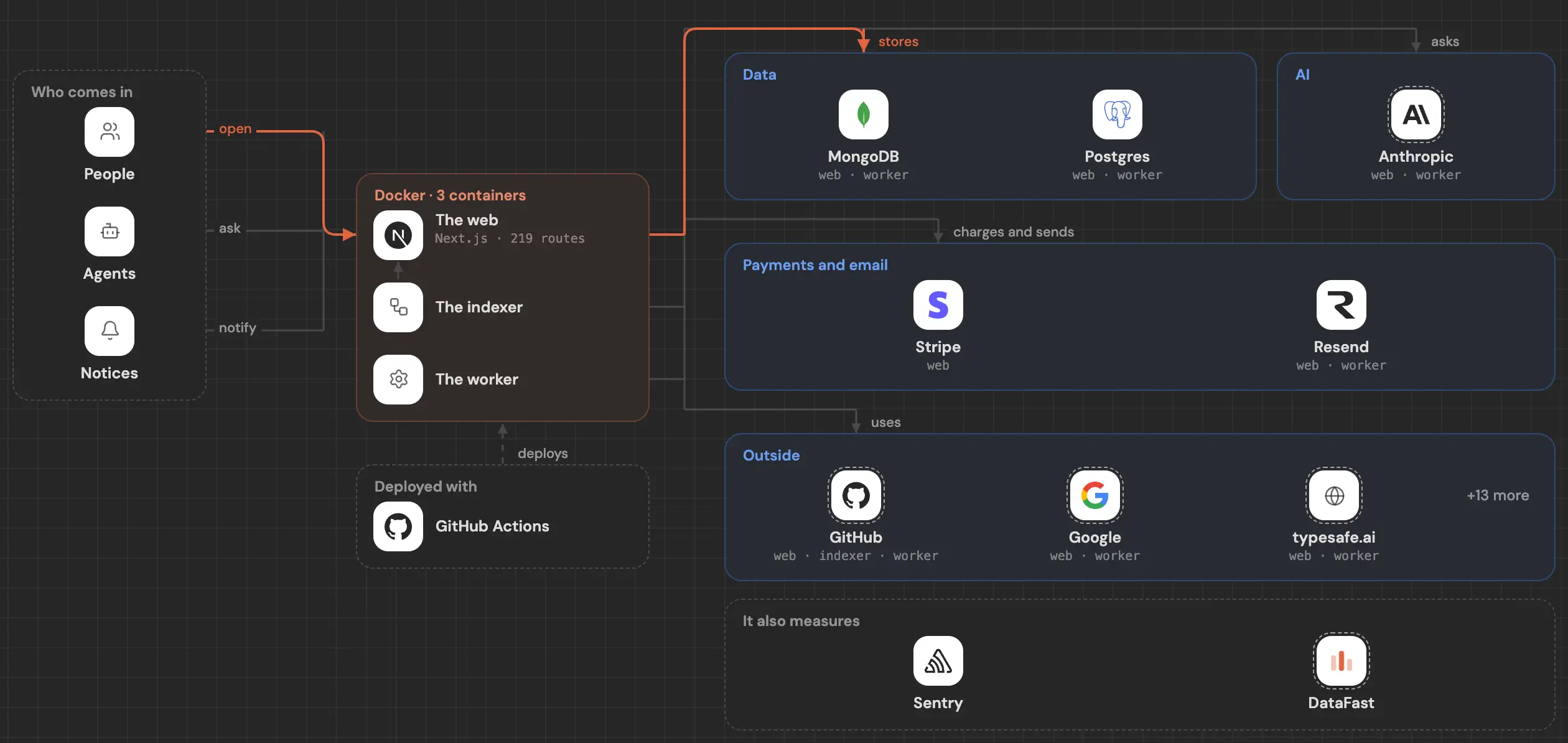
See inside your code, today.
Paste your repo and see it drawn, part by part: a medium one in under a minute.
Free, no account.
Is it your repo? Add its badge, keep it up to date or take it down →


