How much of gitdiagram did AI write?
50.9%
 LinkedIn
Who signed the commits
Commits per month
Each month's commits up to its last one, with those an AI signed. Merges don't count.
- Signed by AI
- People
The figures, month by month
| Month | Commits | Signed by AI | Share |
|---|---|---|---|
| Nov 2026 | 1 | 1 | 100% |
| Oct 2026 | 95 | 94 | 98.9% |
| Sep 2026 | 327 | 243 | 74.3% |
| Aug 2026 | 2 | 1 | 50% |
| Jul 2026 | 56 | 37 | 66.1% |
| Jun 2026 | 5 | 0 | 0% |
| May 2026 | 20 | 0 | 0% |
| Apr 2026 | 20 | 0 | 0% |
| Mar 2026 | 50 | 0 | 0% |
| Feb 2026 | 10 | 3 | 30% |
| Jan 2026 | 0 | 0 | — |
| Dec 2025 | 0 | 0 | — |
| Nov 2025 | 0 | 0 | — |
| Oct 2025 | 0 | 0 | — |
| Sep 2025 | 0 | 0 | — |
| Aug 2025 | 0 | 0 | — |
| Jul 2025 | 0 | 0 | — |
| Jun 2025 | 0 | 0 | — |
| May 2025 | 2 | 0 | 0% |
| Apr 2025 | 7 | 0 | 0% |
| Mar 2025 | 7 | 0 | 0% |
| Feb 2025 | 36 | 0 | 0% |
| Jan 2025 | 2 | 0 | 0% |
| Dec 2024 | 104 | 0 | 0% |
The last commits an AI signed
- 2ae1828CLAUDE.md: Vercel team on the free Hobby plan since 2026-11-04Claude· Nov 4, 2026
- 7876ab0Tests: the colo-cache follow-the-render test no longer times out on busy CIClaude· Oct 30, 2026
- 2a6476cDependencies: patched undici, zod and body-parser for new advisoriesClaude· Oct 30, 2026
- df94d03CLAUDE.md: the first invoice proved the Cloudflare startup credits pay (card charged $0)Claude· Oct 29, 2026
- 7d3bc54Experiments: GPT-6.1 Terra against GPT-6 Luna for diagramsClaude· Oct 26, 2026
- c609a29Stripe: stop sending Workers' fake Node versionClaude· Oct 23, 2026
- 57885abAdvertise: a bigger, full-colour advertiser logo gridClaude· Oct 23, 2026
- 89df96fAdvertise: no stand-in numbers, a plain error insteadClaude· Oct 23, 2026
- c0229d9Advertise: real audience numbers againClaude· Oct 23, 2026
- 254b7beAdvertise: log why sponsor analytics fall back to the snapshotClaude· Oct 22, 2026
How we know
Every AI coding tool leaves its signature in the commits it makes: a Co-Authored-By line, its own author name, or the merge of its branch. SeeRepo reads those signatures in the repo's history; a commit without one counts as made by people, and merges don't count.
Every AI tool SeeRepo recognizes →Frequently asked questions
Which AI tool signed the most commits in gitdiagram?
Claude, with 354 of the 744 commits of gitdiagram.
The proof: its last signed commit, 2ae1828
Since when does AI sign commits in gitdiagram?
Since February 2026: the first month an AI tool signed a commit of gitdiagram.
How many commits does gitdiagram have?
gitdiagram has 744 commits since December 15, 2024. Merges don’t count.
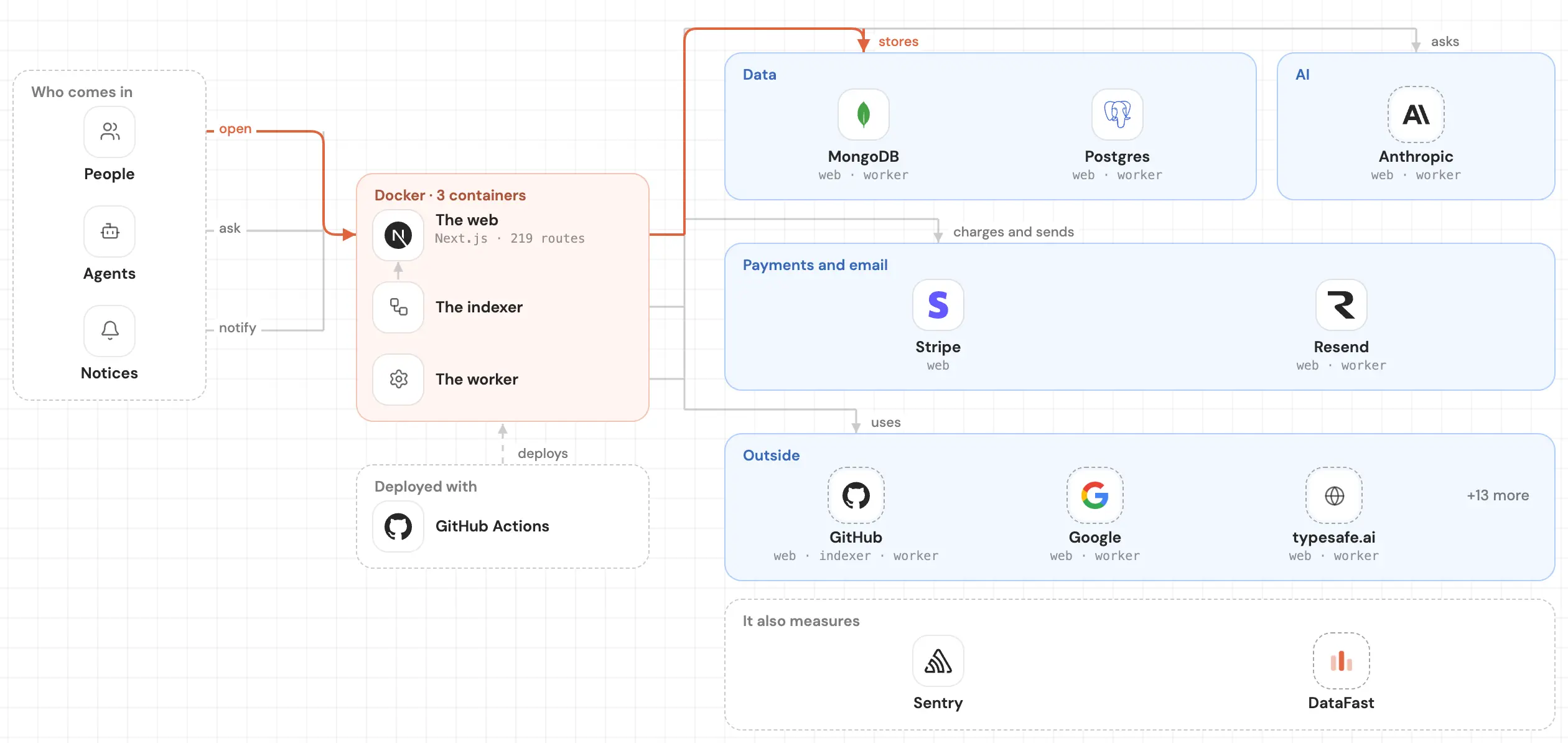
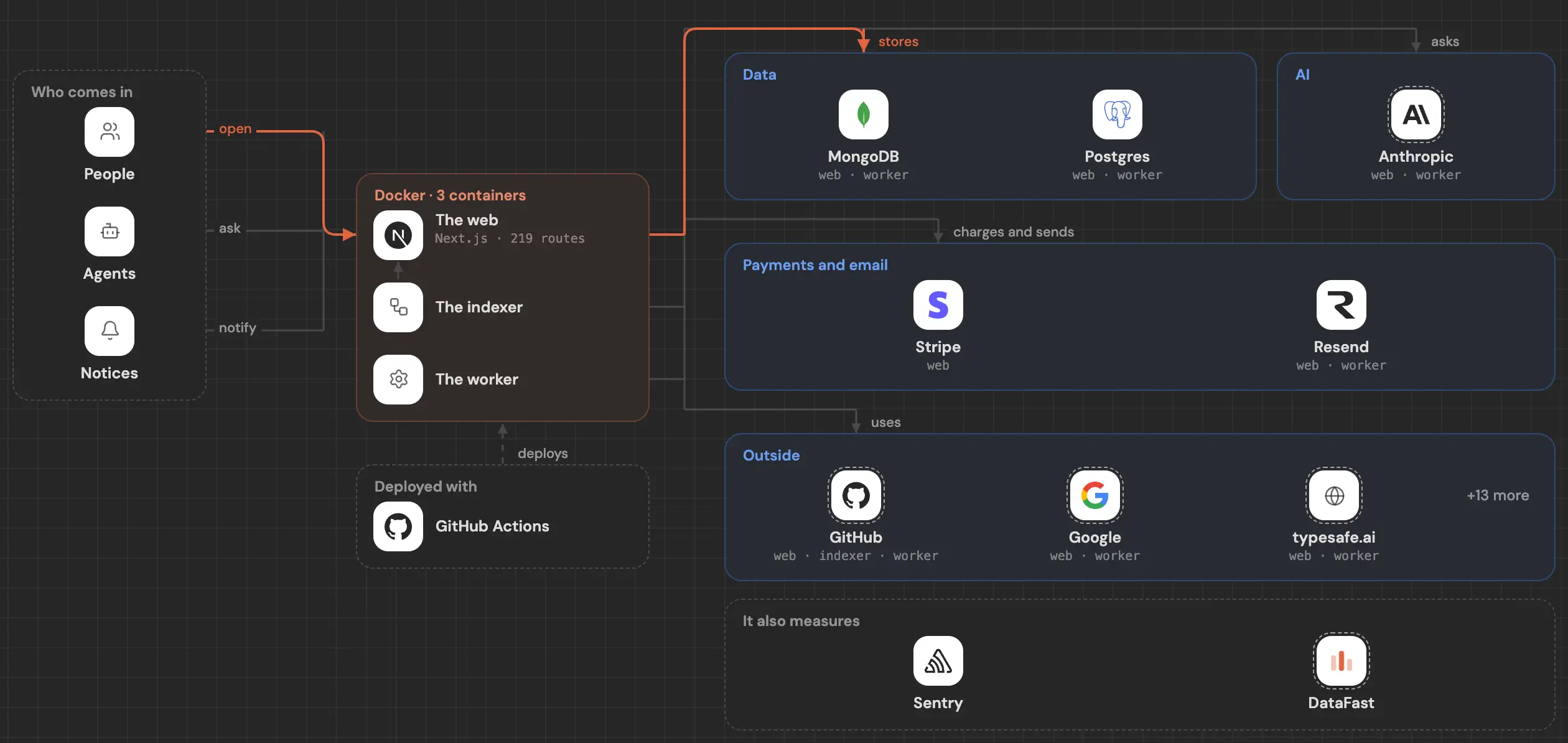
See inside your code, today.
Paste your repo and see it drawn, part by part: a medium one in under a minute.
Free, no account.
Is it your repo? Add its badge, keep it up to date or take it down →


