Follow your agents
See what your agents changed this week
Filter your map by agent and by what changed, and see where their work landed, part by part.

Ronaldships
1 min read
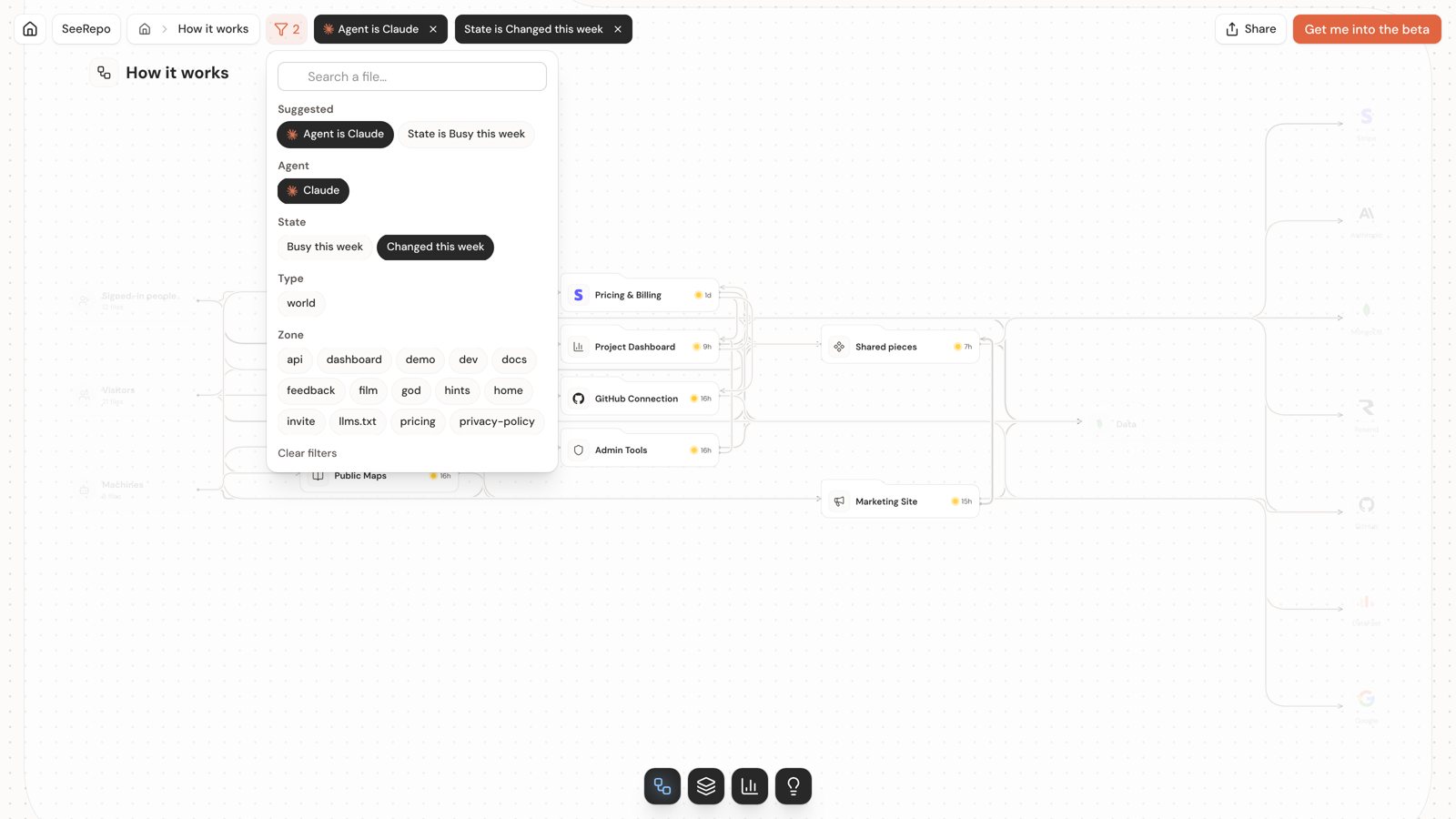
Your agents push faster than you can read their commits. Two filters on your map show you where their work of the week landed, part by part.
Why this matters
When an agent changes ten files, what you need to know isn't the ten file names: it's which parts of your product moved. That tells you what to try before you ship, and what to ask the agent about.
Why most tools can't tell you
Your commit history lists commits and files. It doesn't know that three of those files are your checkout and two are your sign-in, so you're left to piece together what changed in your product.
How SeeRepo does it
SeeRepo knows which commits an agent wrote, from the signature it leaves (see the agent directory), and which part of your map each file belongs to. The map's filter puts the two together.
How to do it
- Open your map and click Filter at the top.
- Under Agent, pick yours: the chip reads "Agent is Claude".
- Under State, pick Changed this week. Filters add up: only what matches both stays bright, and the rest fades.
- Click a lit part to open its sheet: Made by shows the agents and people who changed it. See A part's sheet.
- For the numbers, open Journey: its posts tell, day by day, what each agent did; Who wrote it, at the foot of the wall, what share of the commits each one signed since the start. See Journey.
Next idea: before you ask an agent for a change, see what that part connects to. Read See what a change can reach.