Code Wiki alternative
SeeRepo vs Google Code Wiki: Code Wiki alternative
Google's Code Wiki keeps a wiki of public repos up to date. SeeRepo keeps your own repo, private too, as a living map that shows what your agents changed.
SeeRepo

Code Wiki
Quick comparison
| Question | SeeRepo | Code Wiki |
|---|---|---|
| What you get | ✅ A map of modules and parts you zoom into (modules and parts) | ✅ A wiki with architecture, class and sequence diagrams (Google) |
| Stays up to date | ✅ Every push is read (heat) | ✅ Regenerates the documentation after each change (Google) |
| Your private repo | ✅ Read-only GitHub App (connect a repo) | ❌ Public repos for now; a Gemini CLI extension for private repos has a waitlist (Google) |
| Shows which commits your AI agents wrote | ✅ From each agent's signature (agent directory) | ❌ Not mentioned in its announcement (Google) |
| Ask questions in a chat | ❌ No chat | ✅ A Gemini-powered chat that uses the wiki (Google) |
| Status | ✅ Your first repo free, plans from $19 a month (plans) | ✅ Public preview since November 13, 2025; no pricing announced (Google) |
Choose SeeRepo if
- Your repo is private, or you want to start today with your own repo.
- You direct AI agents and want to see their work, part by part.
- You want a list of what to fix, with a prompt for your agent.
Choose Code Wiki if
- You're exploring a public repository and want detailed, technical diagrams.
- You like asking questions in a chat backed by Gemini.
What SeeRepo does better
- Your own private repo, today. A read-only GitHub App on the repos you choose.
- It follows your agents: which commits Claude Code, Codex, Cursor and others wrote, on the map and in Journey.
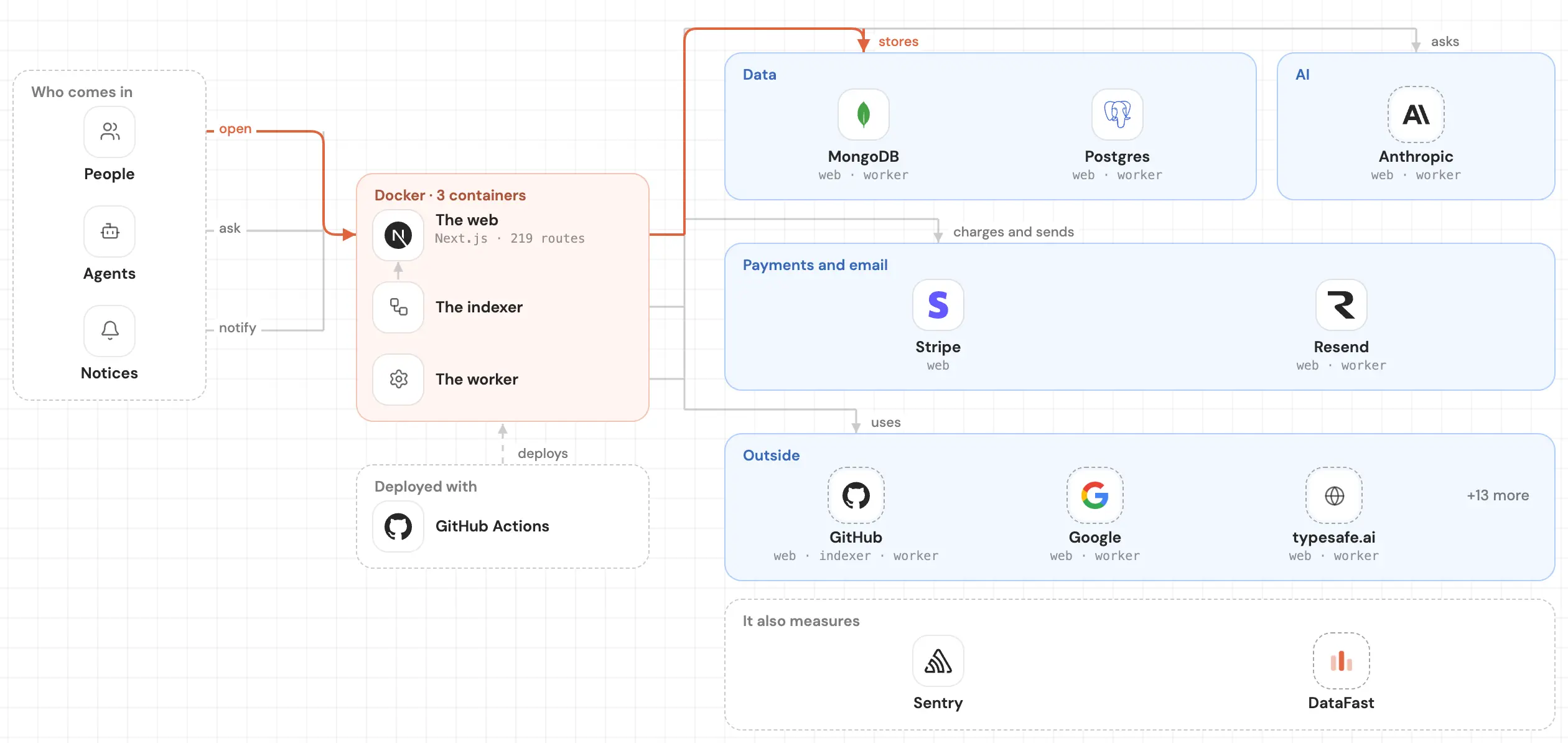
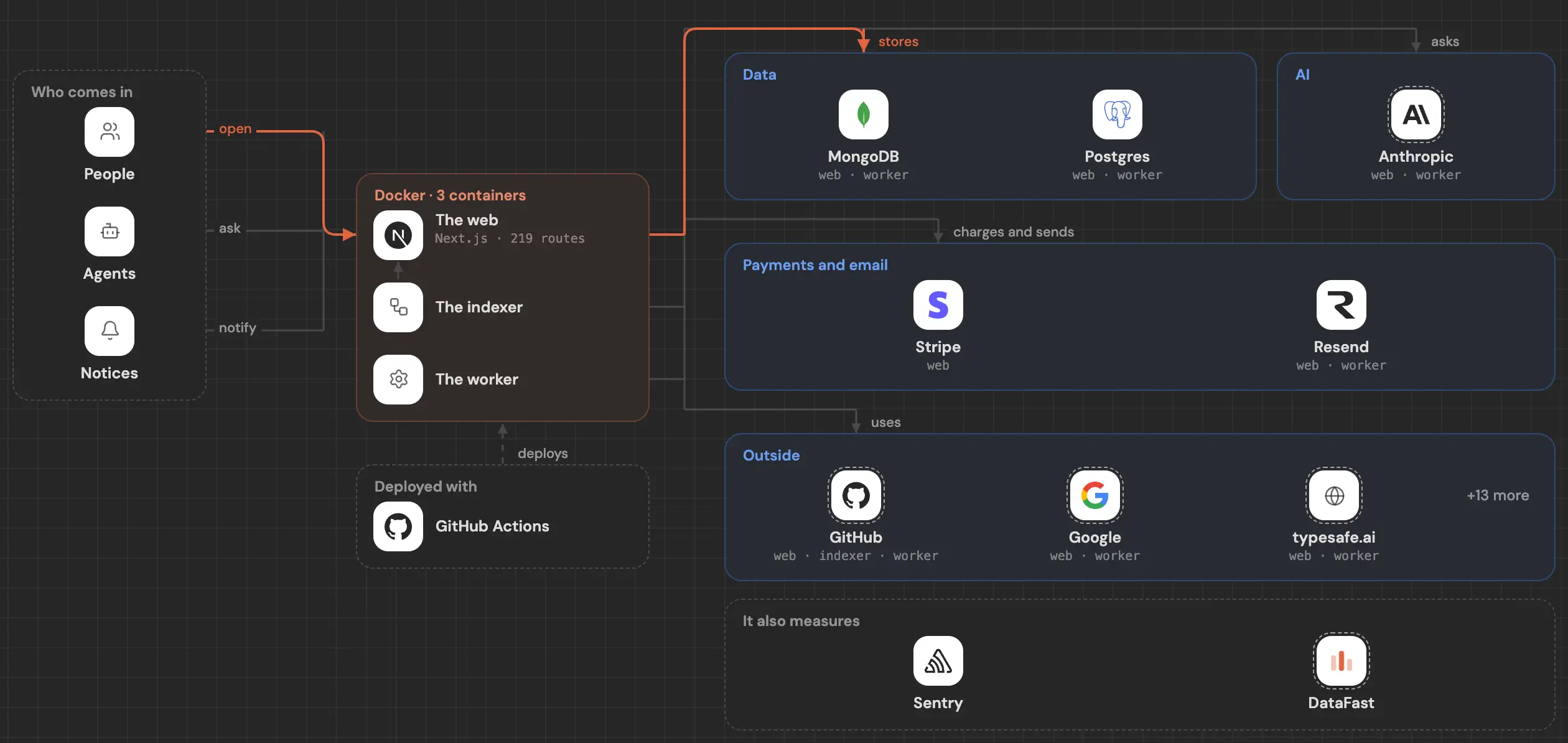
- It speaks your product, not your classes: screens, actions, data and services, with cables between them.
- It tells you what to fix, in Health, with the prompt ready.
What Code Wiki does well
- It regenerates after each change, so its pages keep up with the code.
- Technical diagrams: architecture, class and sequence, linked to the code.
- A chat that answers with the wiki as context.
- It comes from Google, in public preview.
How each one works
Code Wiki ingests public repositories and keeps a structured wiki for each one, with diagrams and a Gemini chat. Google says a Gemini CLI extension will bring it to private repos.
SeeRepo asks you to sign in with GitHub and install its read-only GitHub App. It draws your map in front of you and reads every push after that. See Get started.
Common questions
Both stay up to date: what's the difference?
Code Wiki keeps documentation you read. SeeRepo keeps a map you look at: what changed glows, Journey shows when, and Health says what to fix.
Can I use Code Wiki on my private repo?
Not yet, according to Google's announcement: the private version is a Gemini CLI extension with a waitlist.
Does SeeRepo have a chat?
No. SeeRepo shows instead of answering, and writes the prompt for your agent when there's something to fix.