GitDiagram alternative
SeeRepo vs GitDiagram: GitDiagram alternative
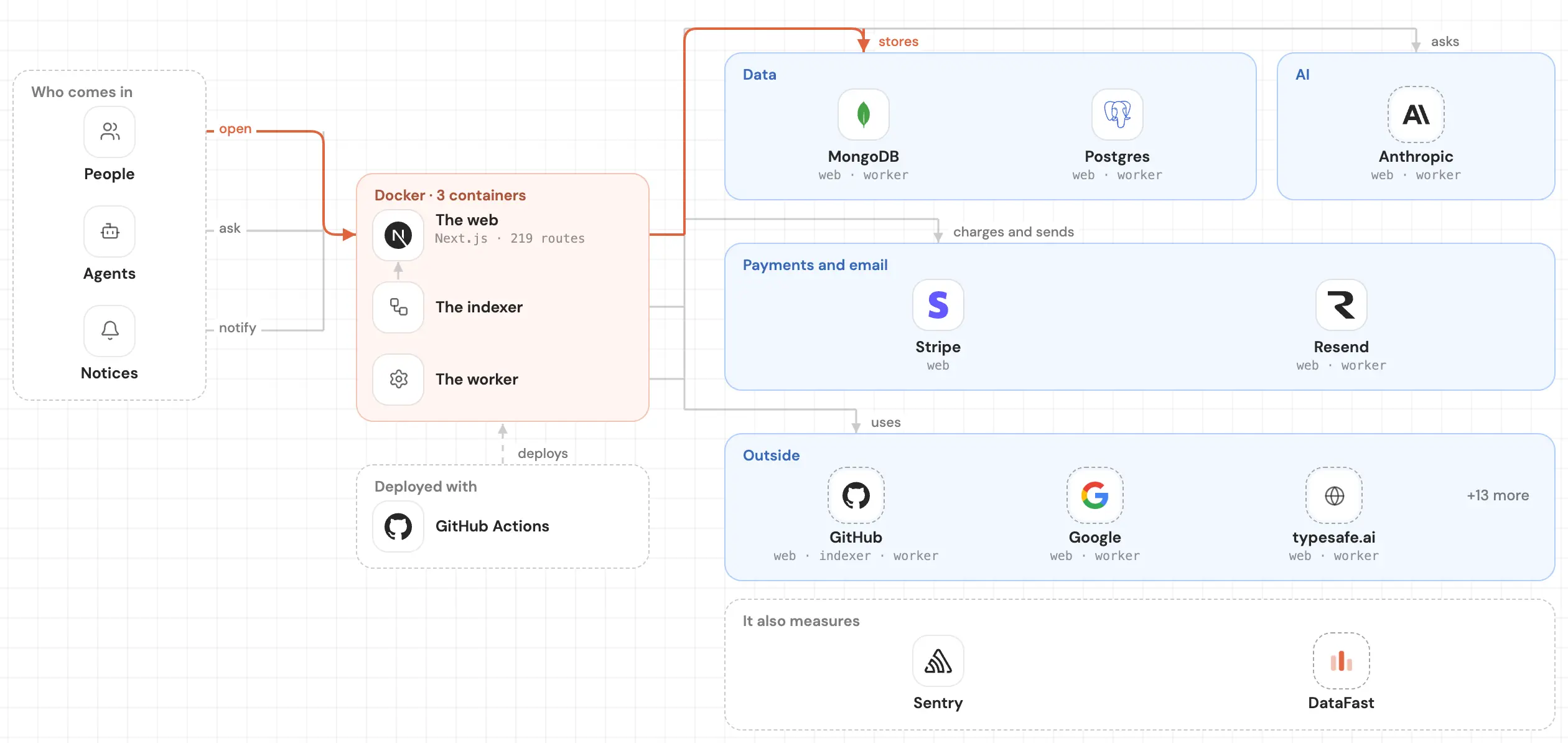
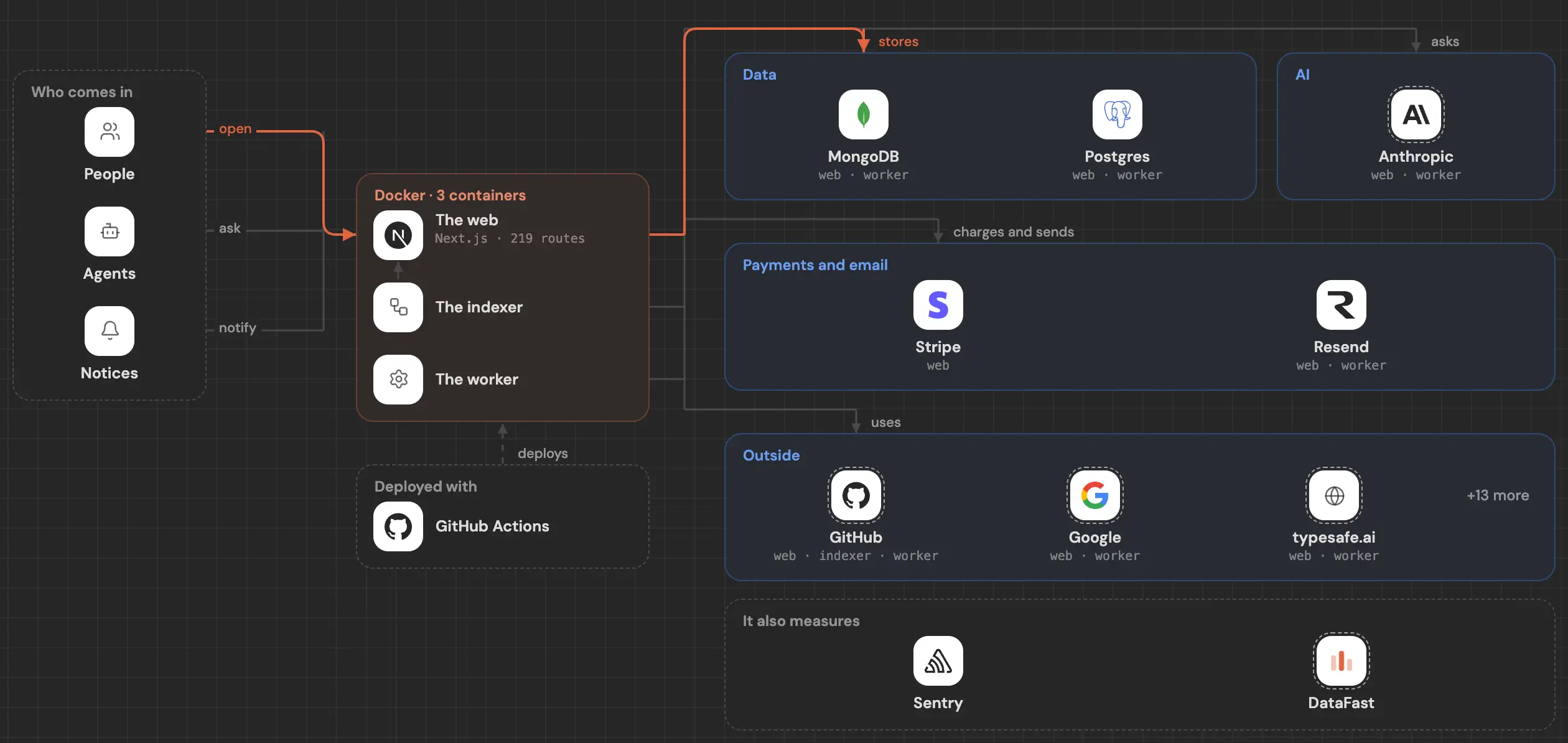
GitDiagram turns a repo into an architecture diagram in one click. SeeRepo keeps your repo as a living map, with what changed, who changed it and what to fix.
SeeRepo

GitDiagram
Quick comparison
| Question | SeeRepo | GitDiagram |
|---|---|---|
| What you get | ✅ A map of modules and parts you zoom into (modules and parts) | ✅ An interactive architecture diagram (GitDiagram) |
| Click to reach the code | ✅ A part's sheet links to its files on GitHub (sheet) | ✅ Clicking a component opens its file or folder (GitDiagram) |
| Private repos | ✅ Read-only GitHub App (connect a repo) | ✅ With a GitHub token (GitDiagram) |
| Moves with every push | ✅ Every push is read (heat) | ❌ Not mentioned in its README (GitDiagram) |
| Shows which commits your AI agents wrote | ✅ From each agent's signature (agent directory) | ❌ Not mentioned in its README (GitDiagram) |
| Export | ✅ An image of your map to share (sharing) | ✅ PNG or the Mermaid source (GitDiagram) |
| Open source and free | ❌ Plans from $19 a month, first repo free (plans) | ✅ MIT license, described as free (GitDiagram) |
Choose SeeRepo if
- You want your own repo kept up to date as your agents push, not a picture of one moment.
- You need to know what changed this week, which agent did it and what's worth fixing.
- You'd like to share a living map that anyone can open.
Choose GitDiagram if
- You want a quick architecture diagram of any repo, for free, in one step.
- You need the Mermaid source to paste into your own docs.
- You want a short explainer video of a repo (in early access).
What SeeRepo does better
- It's alive. Every push is read, and what changed glows on the map for a week. Journey shows when each part moved.
- It goes inside. Each part opens its own module, down to the files, and its sheet says what it does and what it connects to.
- It follows your agents and tells you which commits each one wrote.
- It tells you what to fix, with a ready prompt for your agent in Health.
What GitDiagram does well
- One step: replace "hub" with "diagram" in any GitHub address.
- Free and open source, under the MIT license.
- Exports a PNG or the Mermaid source, and can make a short narrated video.
How each one works
GitDiagram reads a repository when you ask and draws its architecture as a diagram you can click. For a private repo you give it a GitHub token.
SeeRepo asks you to sign in with GitHub and install its read-only GitHub App on the repos you choose. It draws the map once and then reads every push. See Get started.
Common questions
Is SeeRepo just a diagram?
No. The first level looks like a diagram, but each part is a module you can enter, with its sheet, its heat, its commits and its Health tasks.
Does SeeRepo export Mermaid?
No. It shares a public link to your map or an image of it.
Which one is cheaper?
GitDiagram is free. SeeRepo's first repo is free, read once; keeping a map alive with every push takes a plan.